Introducing sessions
Sessions are in the witness Mac app. You start Claude Code or Codex on a card, and the session works on it with your project's rules. The card shows who is on it, and the question it has for you finds you on whatever screen you are on.
Sessions are in beta, in the Mac app only.

Why we built it
witness is a shared project for many people working through many agents. Until now, the agents lived somewhere else: a terminal here, another there. Each read the rules and wrote its cards over MCP or a share link, and that part worked. The part that did not was yours. To know which agent needed you, you went looking through your terminals.
When we looked at what people who work through agents complain about, it was rarely the work itself. It was keeping up with it: what is waiting, what is done, what needs a look. Sessions put that in one place, next to the cards the work is about.
How sessions work
Start from a card, or from a task. An open card has Start a session, on the card itself and on the card that shows when you hover its id in a session. The session is sent the card's own prompt, the one the card shows under What the agent gets. For work that has no card yet, describe the task at the foot of the Sessions page.
Your own agent. A session runs on the Claude Code or Codex you installed and signed in to on your Mac. witness does not ship or pin either. Claude Code brings your own settings and MCP servers; witness adds itself, signed in as you.
Your project's rules. Every agent on witness reads the project's document before its first write: the purpose, the working rules, the statuses. A session is no exception. An agent cannot write to a card without proof it read the current rules, and when the rules change it has to read them again.
The card shows who has it. Every agent on witness is asked to claim a card before it works on it, and a session is no exception. Anyone who opens the card sees who has it, and any other agent that reads it is told to take the next card.

Its own worktree and branch. In a project with repositories, each session gets a worktree of each one and a branch of its own, made from the branch you pick for it. It is told where its branch came from, so its pull request goes back there. Two sessions on two cards do not touch each other's files. When you archive a session, its worktree goes too, but only once nothing in it would be lost.
The Sessions page is ordered by whose move it is. Waiting for you first, then Ready for review, then Working, then Idle. Open one and you see the conversation, the files it changed and the pull requests it opened. You can write to it while it works.
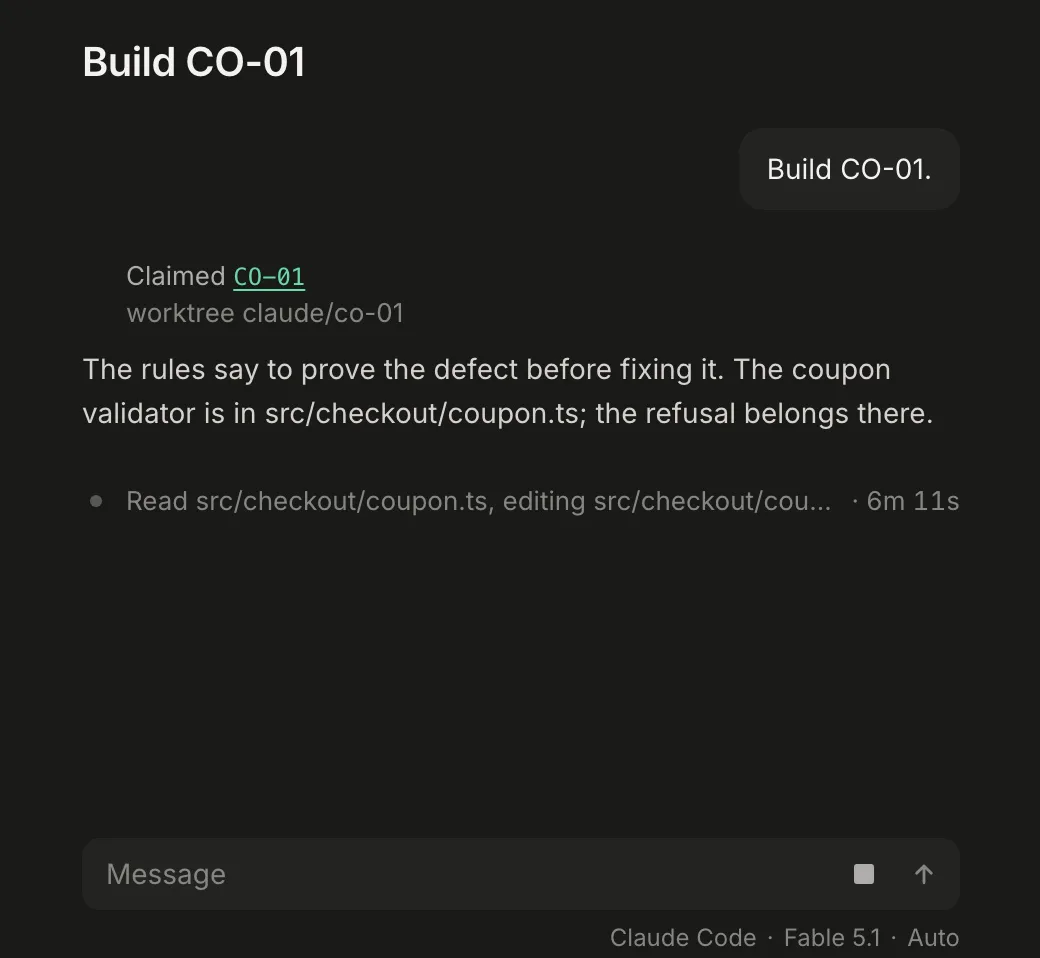
When it needs you, you hear. If a session asks a question, finishes or fails while you are on another screen, a row appears in the tray at the foot of the window. You can answer a question in the row itself. A request for permission opens the Mac's own sheet, so you decide it there.

What beta means
Sessions run in the Mac app, on macOS 13 or later, and nowhere else. The web page and agents outside the app work as they always have. The two agents differ in places: a message you send while Claude Code works joins its turn, while Codex takes it at its next turn.
Getting started
Open the Mac app, choose Sessions, and follow the setup list. It walks you through what a session needs: your agent installed and signed in, a working folder, witness added to the agent, the GitHub CLI signed in, and a default model. Then open a card and press Start a session.